Know who you’re playing
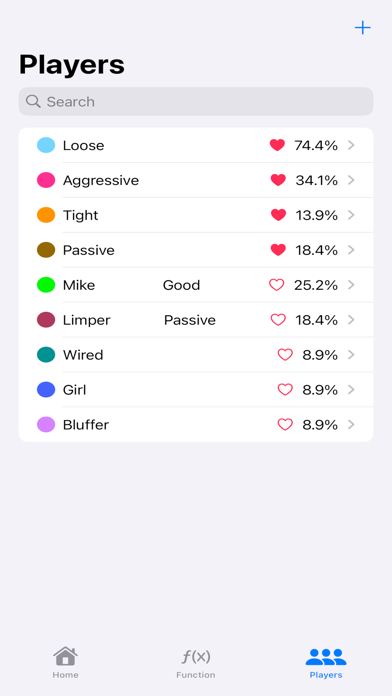
Save player names and notes, assign colors, mark favorites, and search your player list when you need a reminder.
YOUR TEXAS HOLD’EM COMPANION
Turn observations into organized player notes. Keep hand ranges, table lineups, and session records close at hand with pokerNote.
Free on the App Store · By Michael Yang
For iPhone & iPad · iOS 17.6+
INSIDE POKERNOTE
Official App Store screenshots. Screens shown in English; appearance may vary by app version.
BEYOND A QUICK NOTE
Save player names and notes, assign colors, mark favorites, and search your player list when you need a reminder.
Build a player’s hand range with a visual matrix. Review selected combinations and percentages, with position presets to help you get started.
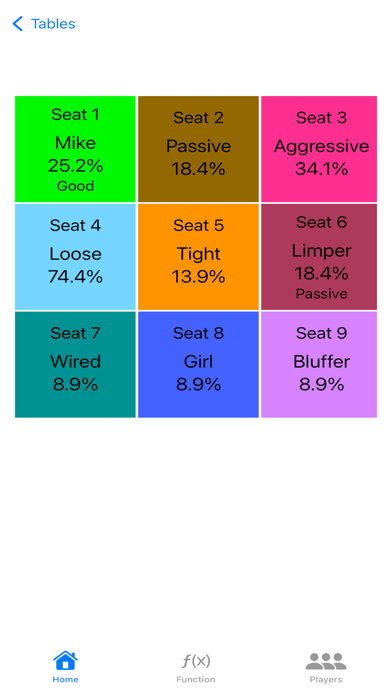
Create cash-game or tournament tables with 5–10 seats. Assign saved players to seats and keep notes about the table.
Record buy-ins, add-ons, cash-outs, time, and location. Review profit, total time, and average hourly rate by month, year, or across all sessions.
Export a JSON backup of your records, or export CSV files for Numbers and Excel. Use JSON backups when restoring your data.
Open Players, tap +, add a name and a note, then tap Add Player. Add a color, favorite, or hand range whenever you need more detail.
SESSION RECORDS
Keep a clear record of where you played, how long you stayed, and how the session ended. pokerNote brings your session details and results together so you can review your history over time.
Open Sessions and tap +. Add the date, start and end times, location, game type, and stakes to give each session its context.
Enter your buy-in, any add-ons, and your cash-out. The session result is your cash-out minus your buy-in and add-ons. Edit a session when you need to correct a detail.
Switch between All, Month, and Year to see total profit or loss, total time played, and average hourly rate for the selected period. Export session records as CSV when you want to review them in a spreadsheet.
POKERNOTE SUPPORT
Practical answers for players, sessions, and backups.
Contact support ↗Open Players and tap +. Enter the player’s name and your note, then tap Add Player. You can also choose a color, mark the player as a favorite, or set a hand range.
Open Sessions and tap +. Enter the session details, including buy-in, add-on, cash-out, time, and location. Use the All, Month, or Year filter to review your records and summary.
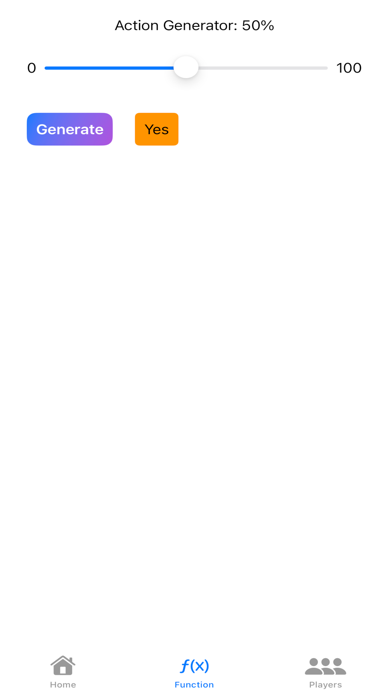
Open Function → Backup & Restore. Choose Export Backup to save a JSON file to Files, or Export CSV to select players, sessions, locations, tables, or seats for a spreadsheet.
In Function → Backup & Restore, choose Restore Backup and select a JSON backup. Review the contents before confirming. Restoring replaces all current data and cannot be undone. Export a backup first if you want to keep your current records. CSV files cannot be used to restore data.
Records are stored locally on your device; there is no automatic cloud sync. Export a JSON backup to keep a separate copy or restore it on another device. Restoring replaces the destination device’s current data.
The app is available in English, Spanish, Traditional Chinese, and Simplified Chinese. French and Japanese are website translations.
LET’S TALK
For questions, bug reports, or feedback, include your device model, iOS version, and the steps that led to the issue. Avoid sending private player notes unless needed to explain the problem.